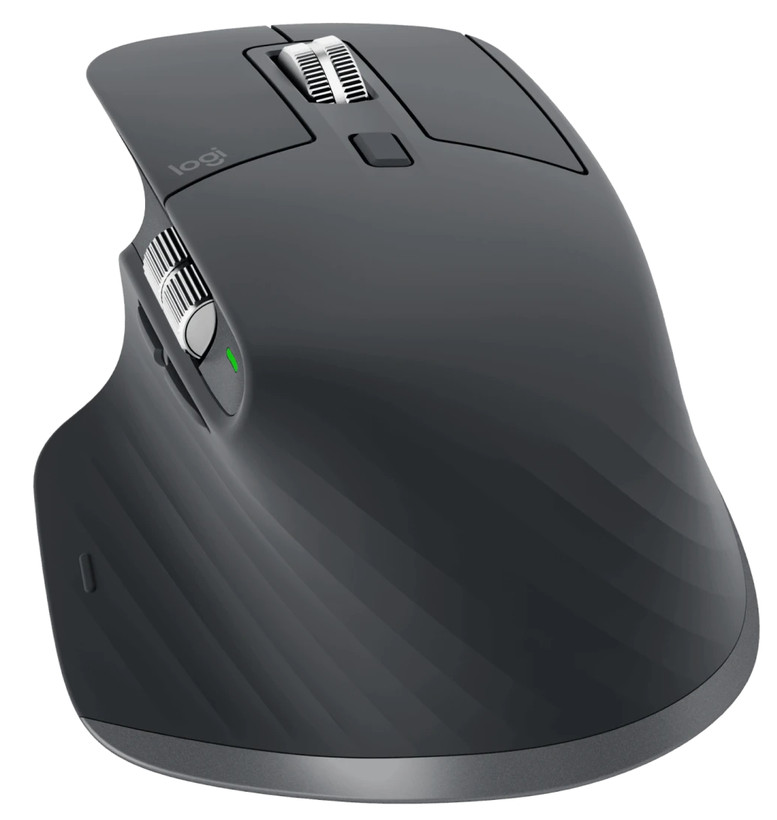
Somewhere along the way, the humble computer mouse developed a personality. A basic pointer is still perfectly adequate for clicking a link, but Logitech’s MX Master 3S imagines a person who spends all day wrestling with spreadsheets, timelines, browser tabs and the stubborn geometry of modern software. It is a mouse for people who have begun to suspect that two buttons and a scroll wheel are not quite enough.
RTINGS describes the MX Master 3S as an excellent office mouse, noting its quieter main buttons, improved sensor range and Logi Bolt receiver compared with the preceding MX Master 3. Its substantial right-handed shape is a deliberate design choice rather than an attempt to please everybody. For some hands, that fuller body will be precisely the appeal.
There is a satisfying logic to the product. A dedicated horizontal control can make wide documents and timelines less tedious, and customizable buttons offer a way of bringing repetitive actions closer to the fingers. None of this guarantees that a specific workflow becomes faster. The potential payoff depends on the applications you use and whether you are willing to customize your controls.
The office mouse is a peculiar design challenge because its best qualities are rarely apparent in a photograph. Its shape has to accommodate the hand without making promises about anyone’s anatomy. Extra controls must feel convenient rather than like a puzzle. Quiet clicks can be a small kindness to colleagues. A horizontal wheel sounds absurdly specialized until you have spent an afternoon moving across a wide spreadsheet.
A compact travel mouse is a better companion for the smallest laptop bag, and left-handed buyers should be wary of assuming the MX Master shape will suit them. Nor should anyone infer comfort from a list of features. Still, as an expression of the idea that everyday pointing deserves considered design, the MX Master 3S remains convincing.
Further reading: product details.

