★★★★★ | Five stars
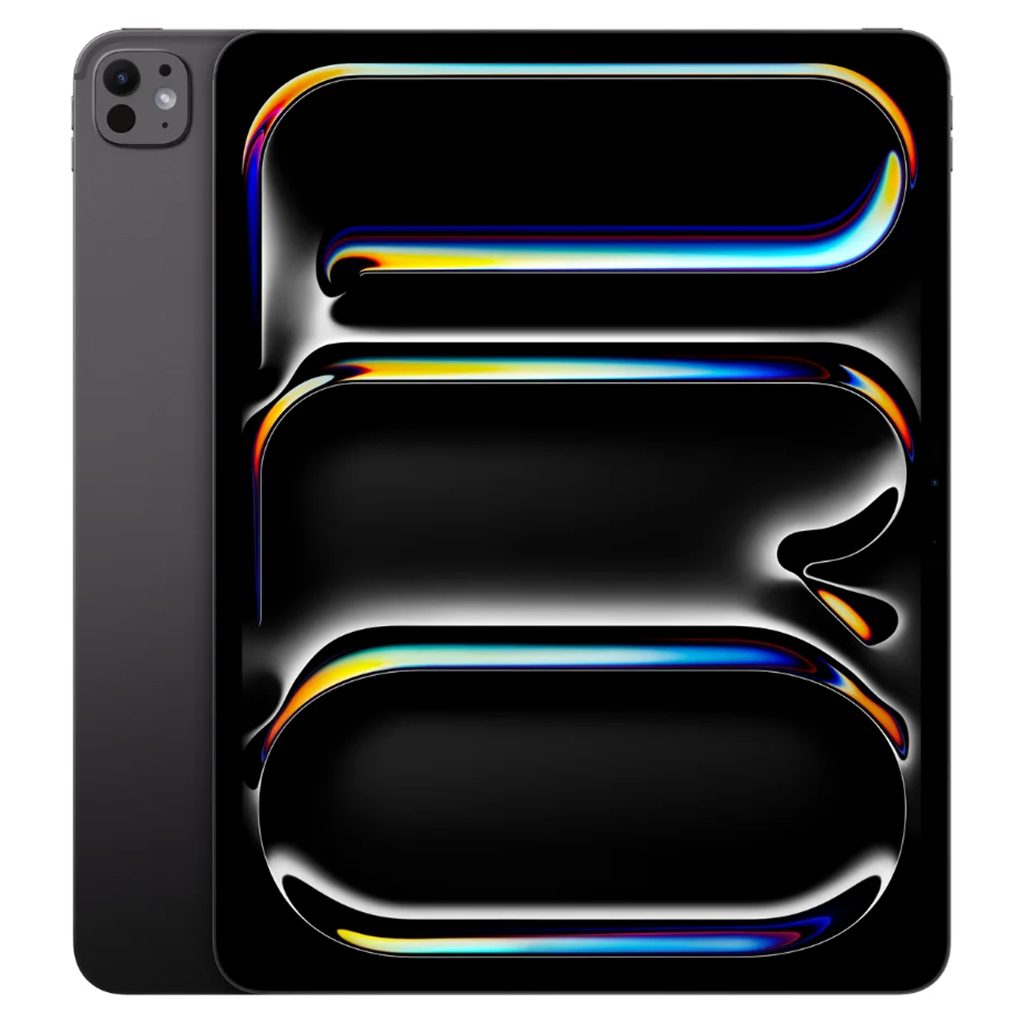
The machine at the center of this review is the 2024 13-inch M4 iPad Pro, not its M5 successor. Its 2752-by-2064 Ultra Retina XDR tandem OLED panel is the reason the screen feels so expansive; the Wi-Fi version is 5.1 millimeters thick and weighs approximately 579 grams. Apple gave this generation a landscape-oriented front camera, support for Apple Pencil Pro and the M4 chip. Those are the relevant specifications for the device under discussion.
The thirteen-inch iPad Pro is a strange and rather magnificent object. It has the generous screen of a small laptop and the blank, seamless face of a tablet, with none of the visual furniture that tells you where a computer should begin and end. Put it on a desk and it seems almost architectural. Pick it up and it becomes a portable sheet of illuminated glass. The ambition is clear: to make a screen large enough for serious work without losing the directness that makes tablets such a pleasure.
The difference between eleven and thirteen inches sounds like the kind of detail best left to a specification chart. It is not. A larger canvas changes the gestures and posture of using a device. Documents can occupy more of their natural proportions. Two applications have additional breathing room. Photographs and illustrations feel less compressed. There is a greater sense that the tablet is a place to arrange work rather than merely to glance at it.
Apple’s current Pro line pairs both sizes with Ultra Retina XDR tandem OLED displays, though the precise hardware depends on the generation. The display is the star. Deep dark areas, bright highlights and fluid motion help make the machine attractive for photography and film, but the benefit is just as visible when a page of text fills the screen. On a large display, typography and margins become part of the reading experience rather than details squeezed into a little viewport.
What I find most appealing about the size is its relationship to documents. A PDF, a script or a heavily marked-up article is often designed around a full page. Shrinking it to a phone produces a succession of pinches and awkward movements. The larger iPad makes it possible to treat many documents as visual wholes. This matters to editors, researchers and anyone who would like to read something without continually rearranging it on the screen.
The tablet as a working table
A generous screen changes the way a stylus can be used. Annotation becomes less like writing in the margin of a postage stamp and more like working across an actual page. There is space to circle a point, draw a line, add a note and still see the surrounding text. The iPad Pro is not pretending to be a piece of paper; its glossy surface and powerful software make that impossible. It is offering a different freedom, one that combines an expansive visual surface with the ability to rearrange what is on it.
A keyboard makes the large iPad a more plausible workstation, and in some jobs that will be enough. But the most interesting question is not whether it can replace a laptop. It is what an exceptionally good tablet does that a laptop handles less naturally. You can lay it flat and draw, hold it vertically for a long article, or change its orientation without asking the rest of the computer to follow. The lack of a permanent keyboard is as much a form of freedom as a limitation.
The larger size can also be more comfortable for a particular kind of leisure. An illustrated book, magazine or film has space to become immersive without requiring a television. The device feels almost absurdly luxurious for simply browsing a few pages. I do not regard that as a criticism. We spend enormous parts of our lives looking at screens. If one of them makes the act less cramped and more pleasant, the improvement is not automatically frivolous.
The price is substantial, and the temptation to add a keyboard and stylus can turn a beautiful purchase into a surprisingly expensive collection. That makes it sensible to identify the job before shopping. Someone who wants a light device for reading on trains may be happier with the eleven-inch model. Someone who spends time with full-page documents, visual work or several windows at once may find the additional size more than worthwhile.
Size is the feature
Apple has a tendency to advertise performance in increasingly dramatic numerical terms. Its chips are genuinely capable, yet the most distinctive part of the thirteen-inch iPad Pro is not a performance bar. It is the way the device changes the scale of interaction. Information looks less like something to be squeezed into an app and more like material spread across a workspace. That is difficult to capture in a benchmark, but easy to understand as a design intention.
People sometimes complain that iPadOS cannot fully exploit hardware this fast. There is truth in that frustration when a demanding desktop workflow runs into software restrictions. But a tablet is also allowed to be an excellent tablet. It need not mimic every desktop behavior to succeed. A drawing surface should respond beautifully. A reader should present a page without drama. A media screen should make pictures and sound a pleasure. The thirteen-inch Pro has been designed around those expectations.
Choosing between the two sizes is less a contest than a question of temperament. The eleven-inch model is the one that follows you everywhere. The thirteen-inch model is the one that makes you want to spread out. Its extra area can be liberating, though it is less discreet in a small bag or on a crowded table. Neither choice is objectively superior. They simply encourage different relationships with the same extraordinary category of computer.
One way to understand the thirteen-inch iPad Pro is as a canvas that can disappear. When a document fills the screen, the device itself becomes less conspicuous. When a film begins, there is sufficient room to forget that the picture is being shown on something portable. When the keyboard is removed, the work surface can be rotated, handed over or held at an angle. This is a flexibility that the more rigid geometry of a conventional laptop cannot easily reproduce.
Of course, the same physical freedom that makes the large tablet impressive can make it slightly awkward. You need to think about where it will be held, and not every chair or café table is equally accommodating. A thin profile is a remarkable engineering achievement, but it does not make a wide screen small. That is why the choice should turn on the actual work. The larger model is wonderfully generous for documents and images; the smaller model wins whenever easy carrying matters more.
Perhaps the best argument for this device is that it makes certain ordinary digital activities feel newly civilized. A dense PDF becomes a page to examine rather than a problem to navigate. A photograph can be appreciated at a scale that rewards detail. An evening film becomes more absorbing without requiring a television. These are not tasks that demand the fastest available processor. They are tasks that demand space. The thirteen-inch Pro has decided to provide it.
Five stars for the thirteen-inch iPad Pro because the scale feels purposeful, not merely bigger for the sake of it. There is joy in a large, precise screen that can become a sketchpad, document table, cinema or writing surface at a moment’s notice. It is an indulgence, certainly. But it is an indulgence with a practical argument behind it: sometimes a little more room allows the work, and the pleasure, to breathe.
Product information: Apple M4 technical specifications.

