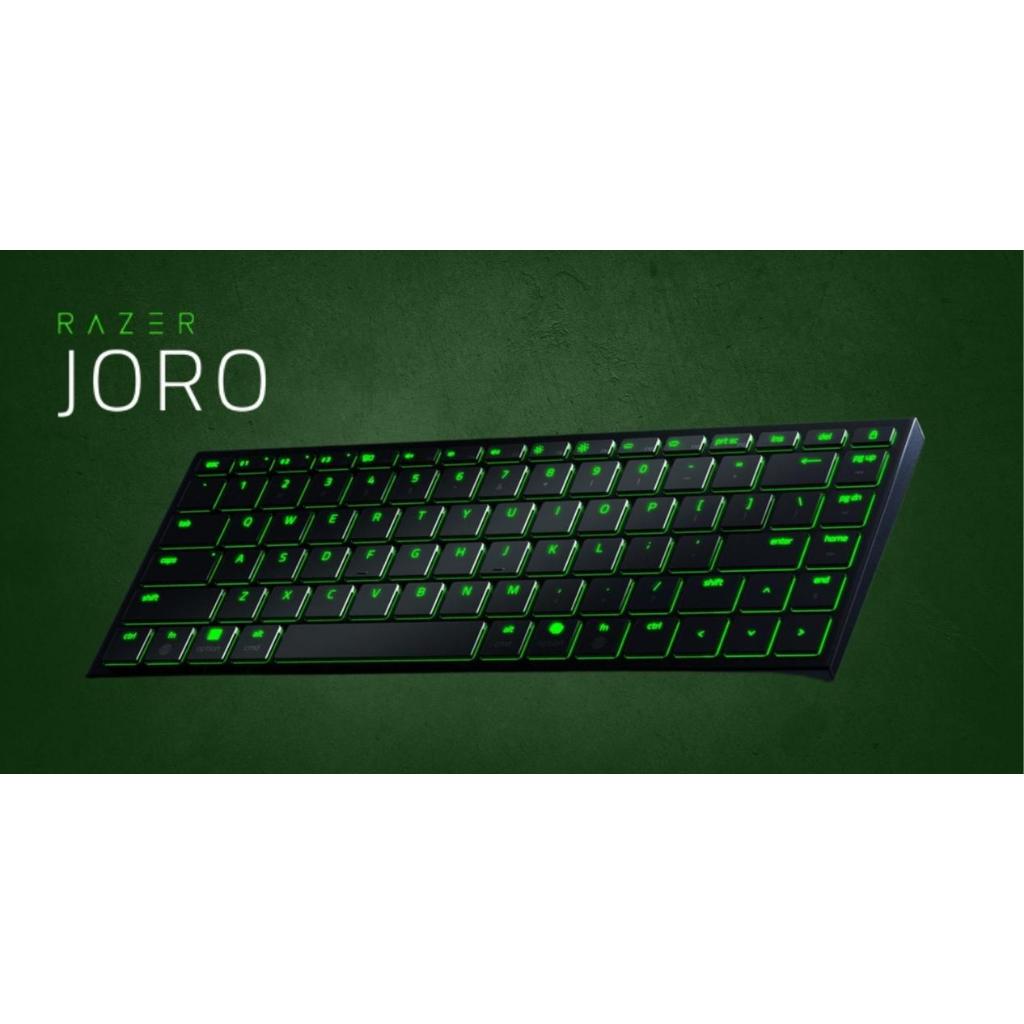
Razer Joro. Product image: Razer.
Photo: Razer
Razer has spent years teaching consumers to associate its keyboards with glowing colors, aggressive switches and gaming desks. The Joro is a curious departure: a slim wireless keyboard that looks more at home alongside a laptop than a tower covered in illuminated fans. It retains some lighting, of course, but the interesting decisions are quieter. The keys are scissor switches, the layout is compact and Mac users are treated as something other than an afterthought. After a week of writing and switching among computers, I found the Joro’s restraint surprisingly persuasive.
The keyboard is designed for people who want a better typing experience away from their permanent workstation. A good portable board has to be light enough to carry, rigid enough to survive the journey and comfortable enough to justify unpacking. The Joro weighs about 374 grams, or 13 ounces, and occupies the familiar 75-percent format. It keeps the arrow keys and function row while omitting the numeric keypad and much of the surrounding empty space.
A little metal goes a long way
The slim chassis uses an aluminum top plate to lend rigidity to a design that might otherwise feel flimsy. In my testing, it resisted obvious flex, and the compact body slipped naturally into the idea of a traveling work setup. It does not fold and is not quite as tiny as some specialist portable keyboards, but its straightforward construction is reassuring. A keyboard with hinges is convenient in a bag; a rigid one has fewer mechanical compromises to make.
The 75-percent format is a useful middle ground. A sixty-percent keyboard can be charming until you need a dedicated function key or arrow cluster. A full-size board is easier to navigate but takes up far more room. The Joro preserves enough familiar controls for substantial writing and ordinary work while keeping its width manageable. It does not offer a number pad, and someone who enters figures all day will notice that immediately. For a writer, the trade is much easier to accept.
The appearance is restrained without being anonymous. Key legends are clean and readable, the surface resists conspicuous fingerprints and the lighting can be reduced when working in a shared space. The overall effect is more like a premium accessory than a shrunk-down gaming peripheral. I would have liked adjustable typing feet, however. The board’s fixed shallow angle means its relationship to the desk cannot be tuned in the way some users prefer.
The scissor switches earn their keep
The Joro does not use mechanical switches, a choice likely to disappoint the enthusiasts who have invested in elaborate tactile preferences. Its low-profile scissor keys resemble good laptop mechanisms, with short travel, a reasonably crisp response and subdued sound. I found them pleasant during extended writing sessions. They did not have the deep mechanical character of a desktop enthusiast board, but they also did not demand the weight, thickness and noise associated with many such designs.
That quietness is a feature in a café, library or room shared with someone trying to concentrate. An external keyboard is not useful merely because it increases the number of gadgets on the table; it has to improve what the hands are doing. The Joro gave me a consistent rhythm and recognizable key positions without the cramped feeling of some travel products. The absence of wobble also contributed to an impression of quality.
Travel keyboards have to cope with the awkward fact that laptop owners are often already using competent keyboards. The Joro is not necessarily better than every built-in laptop board. Its advantage is the freedom to move the typing surface away from the screen, especially when using a stand or external display. A rigid, low-profile board with good keys can make a temporary workstation more flexible. That matters more to me than whether its lighting can display another animation.
A Razer keyboard that understands the Mac
Mac compatibility is one of the Joro’s more significant distinctions. It supports the expected key mappings and can operate across Mac and Windows arrangements, reducing the friction that occurs when an external board treats every operating system as though it were Windows. In my testing, the ability to switch platforms felt coherent rather than improvised. People working across several computers are more likely to appreciate this than those who leave a keyboard paired with a single machine for years.
Bluetooth allows pairing with up to three devices, and USB-C provides a wired connection for charging or situations where a physical link is preferable. There is no bundled dedicated 2.4GHz receiver. For routine writing and browsing, that is not much of a drawback; for competitive gaming that prizes the shortest possible input path, a wire may be the sensible choice. Razer’s naming and lighting do not change the underlying fact that this is primarily a travel keyboard.
Razer’s Synapse software offers customization on supported systems, but functionality and version support vary by platform. A purchaser should verify the current macOS capabilities rather than assume every Windows feature transfers identically. The important thing is that the board’s fundamental typing functions do not depend on an elaborate application. A portable keyboard that demands constant software management would defeat much of its own convenience.
Lighting exacts a battery tax
RGB backlighting gives the thin keyboard some character and makes keys visible in low light, but running elaborate illumination consumes energy. The difference between quoted endurance figures with the lights active and with them disabled can be substantial. I would not confuse a manufacturer’s maximum battery estimate with an independently observed test. My practical response was to treat the lighting as optional and preserve power when traveling.
That balance is typical of the Joro: many of its best qualities come from not doing too much. A good keyboard needs to be ready when a laptop emerges from a bag, comfortable through a meeting or writing session and unobtrusive when it is time to leave. The Joro largely fulfills those requirements. The lack of angle adjustment and a dedicated wireless receiver are genuine compromises, but they are less important than the basic typing experience.
Where it belongs
The Joro makes the strongest sense for a person who needs a capable external keyboard across several computers and prefers a low-profile, familiar feel to mechanical-keyboard theater. It is less suitable for someone who relies on a number pad, wants a highly adjustable typing angle or expects gaming-level wireless polling without a cable. Its appeal is in mobility and dependable input rather than a spectacular set of controls.
I liked the Joro because it made a potentially fussy accessory feel settled. It traveled well, felt solid under the hands, supported Mac use thoughtfully and handled extended writing without forcing me to change my habits. It is a modern keyboard with an unexpectedly old-fashioned virtue: it is pleasant to type on. That matters more than the colors it can display.

