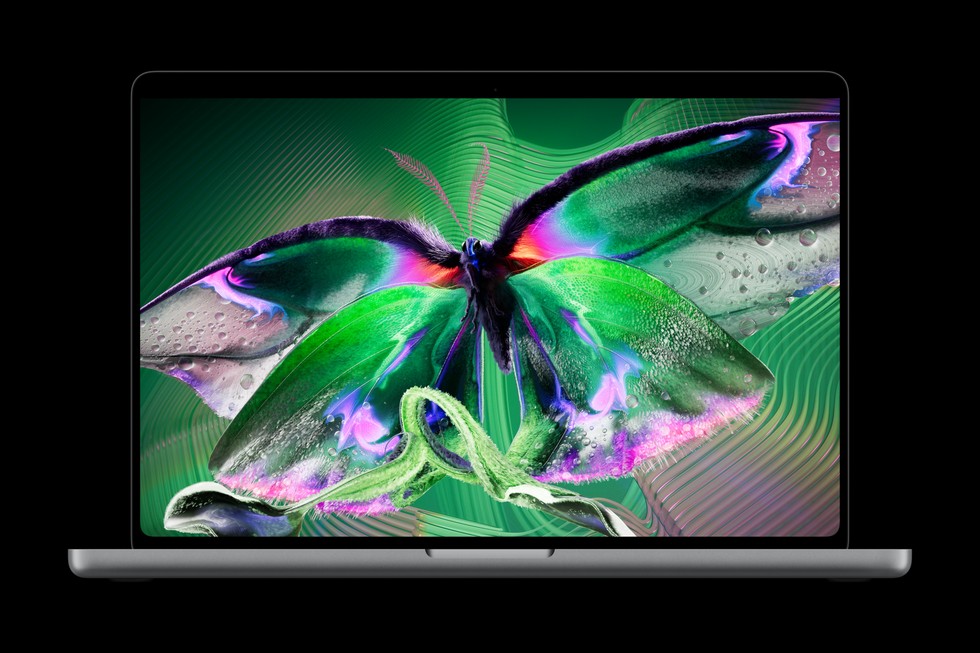
Touchscreen MacBook Pro. Image: Apple.
First impressions | Price: From $2,899 | Access: Brief Apple demonstration, not an extended loan
Apple spent years insisting that a touchscreen laptop was a bad idea. Now it has made one, and the remarkable thing about the new MacBook Pro is how little ceremony the change requires. There is no detachable keyboard, no elaborate tablet mode, no invitation to prop the computer up like a tent. You reach past the trackpad, touch the screen, and carry on working. Sometimes the most consequential Apple feature is the one that ought to have been there all along.
I had a chance to try the touchscreen MacBook Pro during an Apple demo. That is a first impression, not a claim to have lived with the machine: I could not run battery-down tests, measure sustained performance, or find out what a week of greasy fingers does to its expensive display. Still, the encounter made one thing clear. Apple has finally abandoned an old distinction between the Mac, which was supposedly for pointing, and the iPad, which was for touching. The distinction always seemed more ideological than physical.
The machine I encountered belongs to Apple’s new MacBook Pro line with its PROLED XDR touchscreen. A naming trap is worth clearing up: this is not the similarly new M6 MacBook Pro, which keeps a conventional non-touch display. The touchscreen computers use M5 Pro and M5 Max chips, come in 14- and 16-inch sizes, and start at $2,899. The separate 14-inch M6 model starts at $1,999. That is a substantial charge for the pleasure of putting a finger where the cursor used to go.
The screen, at least on paper, makes a more persuasive argument for the money than touch alone. Apple has moved to tandem OLED, a technology that stacks light-emitting layers to produce greater brightness without the familiar LCD backlight. The company claims up to 2,000 nits of peak brightness, a 120Hz adaptive refresh rate, and support for both P3 and Adobe RGB color spaces. Those are specifications that photographers, editors, and designers might appreciate even if they never raise a hand above the keyboard.
Ordinary buyers will notice something simpler: OLED gets rid of the faint halo around bright objects on dark backgrounds. Black pixels can be genuinely black. That sounds like a small thing until you’ve spent years using a perfectly good display and discovered that its shadows are always being lit from behind. Of course, a staged demo is exactly where every screen is meant to look magnificent. I would want to see this one in daylight, on a train, and beside a calibrated monitor before making grand claims about its quality.
Touch is most persuasive when used sparingly. For years, Mac owners have leaned toward their screens to point out a detail in a photograph or move something on a map, only to remember that the glass is inert. Apple has now made those instinctive gestures legitimate. A quick swipe to scroll, a pinch to inspect an image, or a tap on a control can be less fussy than hunting for a cursor. None of this makes the trackpad obsolete. It removes an occasional unnecessary step.
That is also why the design is more sensible than some of its Windows predecessors. Apple hasn’t tried to disguise the MacBook as an iPad with an attached keyboard. It is still a clamshell computer with a familiar keyboard, an ample trackpad, and a lid that does not rotate into tablet position. The operating system remains recognizably macOS. Where touching isn’t useful, the computer is quite content to be left alone.
There’s a practical catch, and it is the same catch that has dogged touchscreen laptops for years. Vertical glass is not an especially comfortable place to work for long. Reaching toward the display interrupts the natural posture of hands resting near the keys. Tiny controls built for a pointer don’t necessarily improve when a finger arrives. Apple’s answer includes software changes that recognize touch, translate taps into clicks, and give developers interfaces for more considered gestures. Whether third-party developers make good use of them will matter far more than the first day’s novelty.
Apple says the new hinge is designed to keep the screen steadier while it is touched. That sounds like unglamorous engineering until you consider the alternative: a laptop display wobbling every time someone tries to use it. The new machine also brings the iPhone’s Dynamic Island to the Mac, using the space around the camera for notifications, activities, and controls. The idea is straightforward enough, though its usefulness will depend on whether those interruptions are information you need or one more thing demanding attention.
For creative work, Apple’s pitch gets more ambitious. The company imagines manipulating 3D objects directly, working on photos and graphics, and playing software instruments onscreen. These are plausible advantages, but they are not universal ones. Fine adjustments can still be easier with a pointer, a graphics tablet, or a dedicated controller. Nor is this a conventional drawing tablet: Apple has not announced Apple Pencil support for the touchscreen MacBook Pro. Anyone shopping for a stylus-first illustration workstation should note the omission.
The biggest upgrade might be the physical computer rather than its interface. Apple’s new 14-inch touchscreen model weighs about three pounds, half a pound less than its predecessor, while the 16-inch version is roughly four pounds. Apple has kept the sorts of connections professionals value, including Thunderbolt 5, HDMI, an SD card slot, and a headphone jack. There is a 12-megapixel Center Stage camera, a revised six-speaker system, and the familiar promise that this is a workstation you can take somewhere other than a workstation.
The processors are powerful, but the numbers deserve some restraint. M5 Pro and M5 Max are positioned for demanding editing, development, and computational work. Apple also advertises up to 24 hours of battery life. Neither a performance chart nor an endurance claim can substitute for independent testing under real workloads. What happens when a lengthy export meets multiple external displays? Does the lighter chassis stay comfortable under sustained load? How much battery survives a day of browser tabs, video calls, and creative software? A short Apple demonstration cannot answer those questions.
The premium is impossible to ignore. At $2,899 to start, the touchscreen MacBook Pro is a luxury purchase even by Apple’s standards. The non-touch M6 MacBook Pro costs $900 less at entry level, although that comparison also crosses chip and display tiers; it isn’t a clean price for the touchscreen alone. A buyer who edits photographs for a living may find the OLED panel, added performance headroom, and reduced weight compelling. Someone who mainly writes emails and watches films can get an excellent Mac for much less.
There is also the matter of touch itself becoming ordinary. The better Apple makes it work, the less it will feel like a headline feature. You won’t spend an entire working day reaching for the screen, nor should you. The success of the idea lies in those moments when you do it without thinking, much as you already reach for a phone or tablet. Apple’s longstanding opposition to the touchscreen Mac has been replaced by something more useful: a recognition that different forms of input can coexist.
My early verdict is enthusiastic, with the obvious condition that the full review still needs a proper spell of everyday use. The redesigned MacBook Pro looks like Apple’s most interesting laptop in years, not because it has invented a new way to use a computer, but because it has stopped forbidding an entirely natural one. That is an early impression, not a scored recommendation. At nearly three thousand dollars, the MacBook Pro deserves a much longer test before anyone can judge its battery life, sustained performance or value.
Specifications and pricing were checked against Apple’s October 28 announcement. This assessment is based on a brief demo, not laboratory performance or battery testing.

