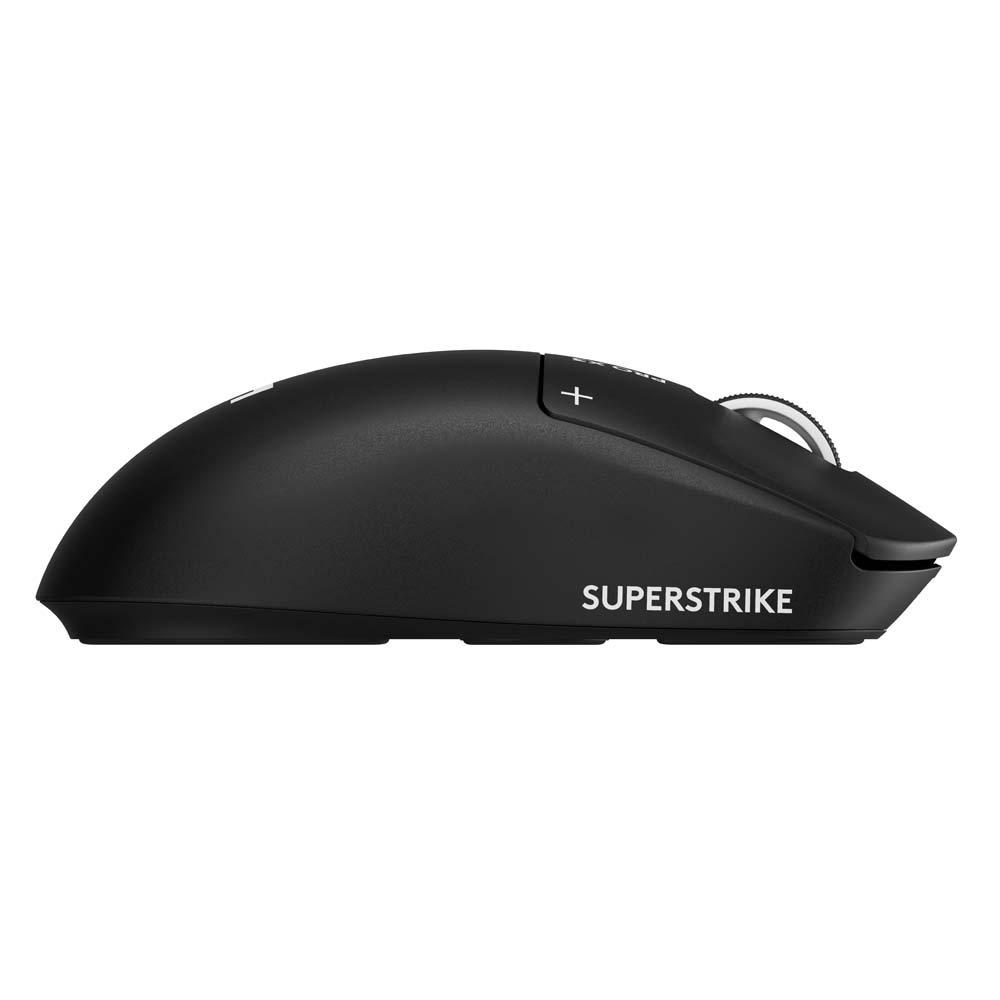
A mouse click is supposed to be the most predictable gesture in computing. You press; the computer responds; your finger rises and the mechanism is ready again. Logitech’s G Pro X3 SuperStrike turns that tiny ritual into a configurable system. Its main buttons use electromagnetic sensing and electronically generated feedback, so the distance you press, the point at which the button resets and even the feeling of the click can be changed independently. After spending time with the $199.99 mouse in games and everyday work, I was surprised that this elaborate idea did not feel entirely absurd.
The X3 arrives in a familiar symmetrical silhouette, with an unshowy body that weighs 59 grams. Its haptic system, rather than its appearance, is the source of the novelty. Logitech is gambling that competitive players care about a difference measured in fractions of finger travel and that some will pay a considerable premium to control it. The surprising part is that the experience can also be pleasant when nobody is competing for anything and the mouse is simply opening documents.
The invisible mechanism under the button
Traditional mechanical switches have a physical actuation point determined by their construction. The SuperStrike replaces that fixed relationship with Logitech’s Haptic Inductive Trigger System. Inductive sensing detects movement, while a small actuator produces a tactile response. In G Hub, the user can select from ten actuation levels, five rapid-reset settings and six levels of haptic feedback. The key difference is the separation between registering a click and making the finger feel one. Those are normally the same event; here they are settings.
A shallow actuation can make repeated commands feel exceptionally quick, particularly in games that reward rapid responses. It can also create accidental inputs when the mouse is used to select text or navigate an ordinary interface. A deeper setting demands a more deliberate press. The reset controls allow the next input to register without waiting for a conventional fixed return point, while haptic intensity determines how firmly the artificial click announces itself. There is no single ideal combination. A setting that feels exciting during a game may become a nuisance when sending email.
In my use, the clicks were satisfying rather than alien. That is important: Logitech has not made a mouse that feels like manipulating a laboratory instrument. The underlying sensations remain familiar, and the adjustment becomes interesting only when you start varying them. My preference was for reliable, distinct feedback, with enough resistance to avoid inadvertent actions. Someone serious about competitive play may reasonably want the opposite. The product is at its best when it makes room for both.
A light body that doesn’t shout about gaming
The relatively simple 59-gram shell is one of the most persuasive parts of the X3. It feels comfortable and controlled during lengthy sessions, without the exaggerated thumb shelves and forests of buttons found on some gaming models. I found it agreeable when moving between games, research material and browser windows. Its low weight made repositioning easy. I also appreciated that the design was restrained enough not to seem out of place on an otherwise ordinary work desk.
The simplicity comes at a cost. There are relatively few auxiliary controls, so someone whose day depends on assigning numerous shortcuts may be better served by Logitech’s heavier G502 X Lightspeed. The SuperStrike is concerned with the quality of the primary actions, not with allowing the user to program an entire workflow around the mouse. Nor does its symmetrical outline guarantee that every grip feels equally supported. Players accustomed to a pronounced right-handed palm rest may prefer a different shape.
Eight thousand reports per second
The mouse supports polling rates as high as 8,000Hz in both wired and wireless modes. Polling rate describes how frequently the device sends updates about movement and button activity. At 1,000Hz, the interval is one millisecond; at 8,000Hz, it can be an eighth of that. Those numbers are technically impressive, but the difference is not automatically visible in every game or on every computer. Display refresh rate, processing and the software itself still shape what the player actually perceives.
During gaming I found the SuperStrike exceptionally responsive, with accurate movement and a shape that encouraged quick repositioning. I would not credit that pleasant experience exclusively to its maximum polling rate. Modern high-quality mice already respond quickly, and spending more for additional updates makes diminishing sense if the rest of the system cannot exploit them. The distinctive advantage here is the adjustable input mechanism. The extraordinary polling specification is a supporting actor, not the whole production.
Logitech uses a HERO 2 optical sensor and its LIGHTSPEED wireless system, with USB-C for a wired connection and charging. The company advertises more than 135 hours of battery life, though that estimate is a manufacturer’s rating rather than the result of a controlled rundown in my notes. Extremely high polling can also increase power consumption. Buyers should decide whether that setting has a real benefit before treating the headline figure as an obligation to leave the mouse in its most demanding mode.
The price of being able to change your mind
At nearly $200, the SuperStrike is expensive even by the standards of premium gaming mice. A buyer can find excellent sensors and reliable wireless systems at much lower prices. Logitech’s Pro X2 SuperStrike already introduced the adjustable-click concept, so the X3’s refinements to weight, chipset and endurance are unlikely to transform the ownership experience for everyone with the earlier generation. The case for upgrading rests on details, not a belief that a new model number guarantees a dramatic improvement.
G Hub is central to the purchase. It does more than assign shortcuts: it exposes the part of the device that makes it unusual. This introduces another layer of adjustment, and setting the actuation too lightly can make the mouse frustrating during conventional work. But the settings are also the reason the design is more than a trick. A player can choose a sensitive configuration for repeated actions and a more deliberate one for a workday, then make the tactile response suit the preference of the hand rather than the limits of a fixed mechanical switch.
The G Pro X3 SuperStrike is easy to admire and harder to recommend broadly. I loved the low weight and the comfortable, quick response, and the haptic controls were more satisfying than I expected. But if you simply want a fine wireless mouse, this is a very expensive way to obtain one. Its intended audience is the player who has spent years thinking about tiny differences in input and now wants to change the click itself. For that person, the adjustable mechanism is a serious proposition. For everyone else, the familiar click probably still works.

