HANDS-ON / HARDWARE REVIEW
The trackpad is one of the laptop’s great inventions, which makes it curious how often it becomes an afterthought when you move to a desktop PC. I tested Contour’s Touch trackpad for an earlier PCMag assignment. The product asks a sensible question: why should a Windows desktop user have to give up familiar gestures and finger control just because a keyboard and display are no longer attached?
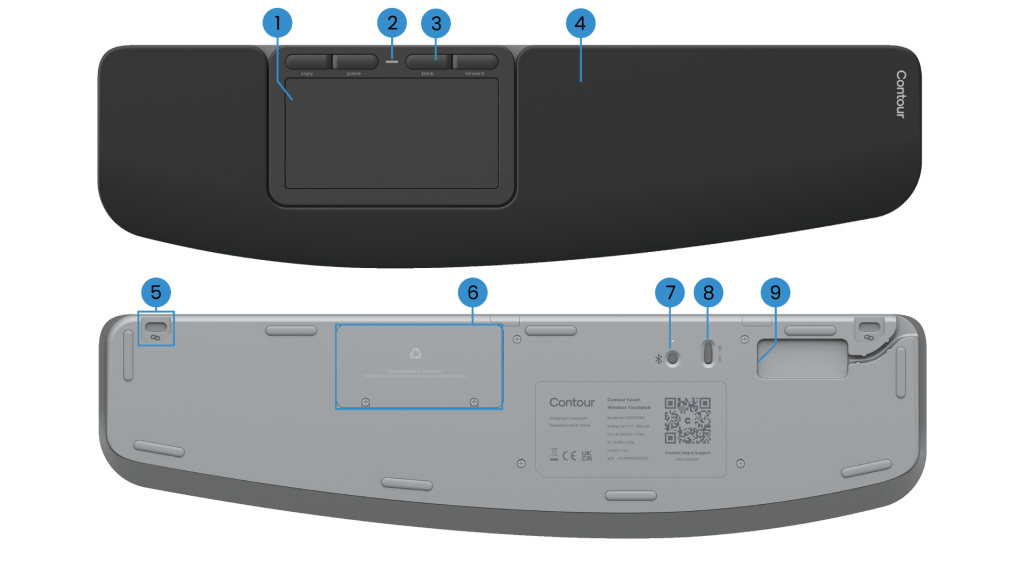
Contour’s answer is a glass-surfaced trackpad with a broad wrist rest, click-anywhere input and dedicated shortcut buttons. There is nothing especially futuristic about the idea. That’s part of the attraction. A desk accessory can be worthwhile simply because it removes a small irritation repeated hundreds of times.
A trackpad that takes up space on purpose
Contour has made ergonomics a central selling point. The integrated wrist support distinguishes the Touch from smaller standalone touch surfaces, while the large glass area leaves room for multi-finger gestures. The trade-off is obvious: it claims more desk space than a little mouse, and its comfort will depend on where you place it relative to your keyboard.
The company supports native Windows gestures and includes four shortcut controls for common functions, including copy-and-paste and moving backward or forward. Users can adjust tracking speed and command behavior through Windows settings and Contour’s software. These are the sorts of features that only become meaningful when they fit someone’s habits.
What an ergonomic claim can and cannot prove
Contour describes the wrist rest as an all-day comfort feature. I would treat that as a design intention, not a medical conclusion. Comfort depends on posture, desk height, placement and the user. The Touch also has the limitations inherent in trackpads: if you prefer the tactile certainty of a wheel and distinct mouse buttons, replacing a mouse with glass may not be an improvement.
The most interesting part of the product is its determination to make a desktop PC behave more like a laptop without asking you to buy a different computer. For writers, editors and anyone who spends days navigating documents, that is a legitimate ambition.
The verdict
I see the Contour Touch as a specialized alternative, not a universal upgrade. A Windows user who enjoys gestures and wants a stationary pointing device has good reason to consider it. Someone happy with a conventional mouse should not feel compelled to buy a new kind of input device in pursuit of a vague promise of productivity.
Source: Contour’s official product details and software information.
Disclosure: Contour supplied a review sample for an earlier PCMag assignment, and I completed and submitted that assessment. This is a separately written Tech Bytes article and does not reproduce the commissioned review. No unsupported test measurements or numerical rating have been added.

